By ProDevs
Published 2026-10-02
Last updated 2026-10-02
AI disclosure: drafted with AI assistance.
Disclosure: this page has no affiliate or referral links.
An idle postgres:16-alpine container at the documented defaults used 17.34MiB of a 512MiB cap in our docker stats reading, while SHOW shared_buffers printed 128MB. A second idle container started with -c shared_buffers=32MB used 21.73MiB, so the smaller setting did not shrink the idle line. Cap the container, then size the host from docker stats under real load.
How we test: On 29 September 2026 we started two idle postgres:16-alpine containers on a machine that already had Docker. The server was Docker Engine 29.4.0, linux/arm64. The client was Docker Engine 29.2.1, darwin/arm64. The image line was docker.io/library/postgres:16-alpine, and image inspect printed RepoTags=["postgres:16-alpine"]. No query load. Both logs included database system is ready to accept connections. Neither log included could not resize shared memory segment. SHOW values below stay in MB, as PostgreSQL printed them. docker stats values stay in MiB, as Docker printed them.
Who this is for: developers and DevOps engineers · Intermediate · You’ll need: Docker, and a throwaway Postgres container you can cap
The number to trust
Cap the container, leave shared_buffers at the server default until you have a real workload, and size the host from docker stats under that workload. The idle line is the empty-server floor.
On a dedicated database server with 1 GB or more of RAM, PostgreSQL’s reasonable starting value for shared_buffers is 25% of system memory. More than 40% is unlikely to beat a smaller amount. Under 1 GB, use a smaller percentage so the operating system still has room. (PostgreSQL docs: resource usage) That 25% is starting advice. The default is typically 128 MB, and it can be lower when the kernel will not allow 128 MB at initdb.
Set --memory and --memory-swap to the same value when you do not want the container to add a swap budget on top of the cap. Docker’s Postgres guide says that without a memory limit, PostgreSQL sees the host’s total RAM and may allocate more than you intended. The same guide’s starting point for shared_buffers is 25% of container memory, and it says to stay at or under 25–30% of the container memory limit because a high shared_buffers can exceed kernel shared-memory limits. (Docker docs: PostgreSQL guide)
Our idle pair, both capped at 512MiB in docker stats, is the reason to read the stats line. Defaults: SHOW shared_buffers was 128MB and stats printed 17.34MiB / 512MiB. A second container started with -c shared_buffers=32MB printed SHOW shared_buffers of 32MB and stats of 21.73MiB / 512MiB. The smaller setting did not produce the smaller idle line.
The machine you rent is a separate choice from this cap. Docker or a VPS is that split.
VPS for AI coding agents is the RAM floor when the long-running process is an agent, not Postgres.
Who it’s for
You are about to run the official Postgres image on a small Linux host, and you want the defaults and an idle footprint before you buy RAM or cut shared_buffers. A managed-database price sheet, a Kubernetes operator, and a busy-cluster tuning pass are other jobs.
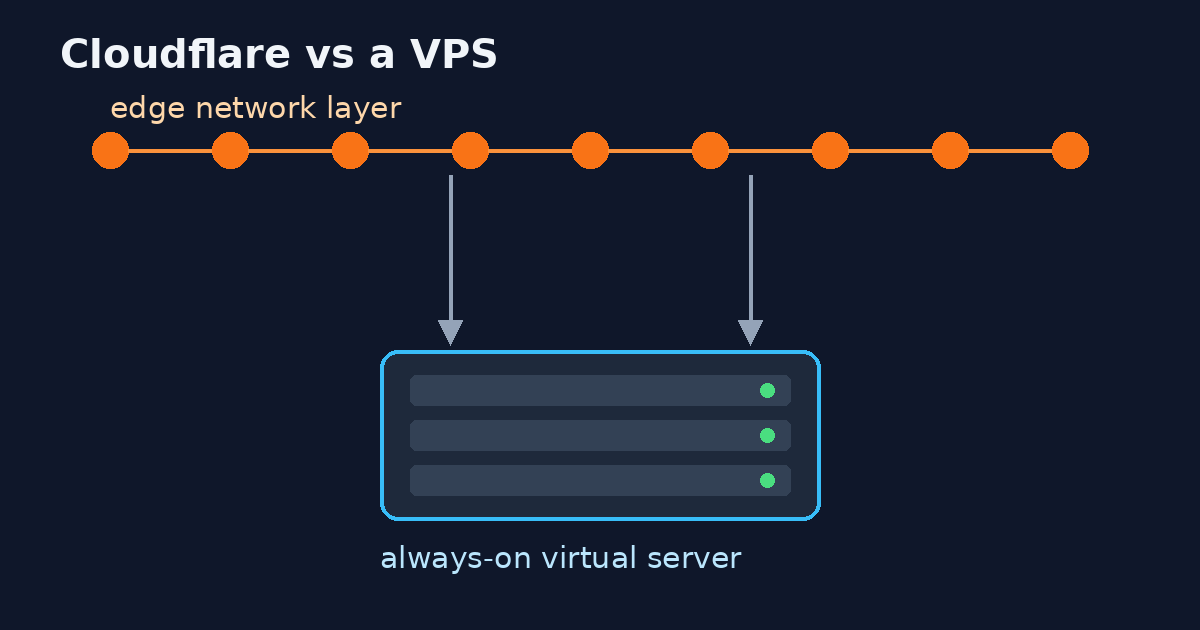
Cloudflare vs a VPS is the neighboring article when you are choosing which bill stays up between requests.
Not for
Managed-database pricing, Kubernetes Postgres operators, and tuning a busy cluster are separate jobs. This guide covers the official Postgres image on one small Linux host.
What the server actually defaults to
shared_buffers is the memory the server uses for shared buffers. The default is typically 128MB. The minimum is 128 kilobytes. You can change it only at server start. (PostgreSQL docs: resource usage)
work_mem defaults to 4MB. A complex query can run several sort or hash operations at once, and each of those operations may use that much memory before it spills to temporary files. Several sessions can do this together, so the total can be many times work_mem.
maintenance_work_mem defaults to 64MB. Autovacuum can take that amount per worker, up to autovacuum_max_workers, unless you set autovacuum_work_mem.
| Setting | Documented default | What changes the real total |
|---|---|---|
shared_buffers |
Typically 128 MB. Lower if the kernel refuses that much at initdb. Minimum 128 kB. Server start only. | PostgreSQL: 25% of RAM is a starting value on a dedicated server with 1 GB or more. Docker’s guide: 25% of container memory, and no more than 25–30% of the container limit. |
work_mem |
4 MB | Several operations in one query, and several sessions, can multiply it. |
maintenance_work_mem |
64 MB | Autovacuum can allocate it per worker. |
Those defaults are what an idle official image should SHOW when you pass no -c flags. Our defaults container did: 128MB, 4MB, 64MB, and max_connections 100.
Copy-paste: docker run
The only required environment variable is POSTGRES_PASSWORD. It must not be empty or undefined. Anything after the image name is passed to the postgres server, and a .conf option can be given with -c. (Official Postgres image)
This is the defaults shape. The 512m cap is the cap from the lab: stats printed 512MiB, and inspect printed Memory=536870912 and MemorySwap=536870912 on both runs. 512 × 1024 × 1024 = 536870912, so those two prints are the same ceiling in two notations. Replace the password before you run it.
docker run -d --name pg-default \
  --memory 512m --memory-swap 512m \
  -e POSTGRES_PASSWORD=choose-a-password \
  postgres:16-alpine
The second lab container used a smaller footprint and the same cap. shared_buffers is read at server start, so the flags belong on the docker run line, not in a later ALTER SYSTEM that you forget to restart.
docker run -d --name pg-small \
  --memory 512m --memory-swap 512m \
  -e POSTGRES_PASSWORD=choose-a-password \
  postgres:16-alpine \
  -c shared_buffers=32MB \
  -c max_connections=20 \
  -c work_mem=2MB
The image documentation’s own example is -c shared_buffers=256MB -c max_connections=200. That 256MB is their example. It is not the server default, and it is not a SHOW value from this lab.
Wait until the log says the server is ready, then read the four settings:
docker logs pg-default 2>&1 | grep -E 'ready to accept|could not resize shared memory'
docker exec pg-default psql -U postgres -c 'SHOW shared_buffers' -c 'SHOW work_mem' -c 'SHOW maintenance_work_mem' -c 'SHOW max_connections'
docker stats --no-stream --format 'table {{.Name}}\t{{.CPUPerc}}\t{{.MemUsage}}\t{{.MemPerc}}\t{{.PIDs}}' pg-default
docker inspect pg-default --format 'Memory={{.HostConfig.Memory}} MemorySwap={{.HostConfig.MemorySwap}} NanoCpus={{.HostConfig.NanoCpus}}'
docker stats streams resource usage for running containers. --no-stream takes one sample. On Linux the CLI subtracts cache before it prints memory usage. (Docker docs: container stats) Stopped containers return no data, so sample while the server is up.
The image docs say the default /dev/shm for a container is 64 MB. If that shared memory is exhausted, Postgres logs ERROR: could not resize shared memory segment and No space left on device. Their example flag is --shm-size=256MB. If you see that error, raise --shm-size and start the container again. shared_buffers still needs a server start to change.
Copy-paste: Compose
mem_limit is the Compose memory ceiling. memswap_limit is memory plus swap. Set them equal when the container should not swap. If you also set deploy.resources.limits.memory, it has to match mem_limit. (Compose services)
deploy.resources.limits is what the platform must prevent the container from exceeding. (Compose deploy)
The lab was docker run, so treat this file as the same policy. 512m is the lab cap. The command block is the smaller server flags, which you can delete when you want the defaults.
services:
  db:
    image: postgres:16-alpine
    environment:
      POSTGRES_PASSWORD: choose-a-password
    mem_limit: 512m
    memswap_limit: 512m
    command:
      - "-c"
      - shared_buffers=32MB
      - "-c"
      - max_connections=20
      - "-c"
      - work_mem=2MB
    deploy:
      resources:
        limits:
          memory: 512m
Keep POSTGRES_PASSWORD non-empty. The command list is the same -c list inspect printed for the smaller container.
Symptom, cause, fix
| What you see | What it usually means | What to change |
|---|---|---|
SHOW shared_buffers is 128MB and docker stats is about 17 MiB |
The buffer setting and the idle usage are different numbers, in different unit labels | Size from stats under load. Keep the SHOW line as PostgreSQL printed it |
You cut shared_buffers and the idle stats line went up |
An idle server does not have to shrink when the setting shrinks | Keep the default until a loaded run says otherwise. Our smaller setting printed 21.73MiB against 17.34MiB on the defaults container |
The log never says ready, and stats is empty |
The server is down, or stats was sampled after it exited | Wait for database system is ready to accept connections, then sample |
could not resize shared memory segment / No space left on device |
Container shared memory is exhausted | Set --shm-size above the image’s 64 MB default and start the container again. The image example is --shm-size=256MB |
| Postgres memory grows toward the whole host | No container memory limit, so the server can see host RAM | Set --memory and --memory-swap together |
| A busy query dies while idle stats looked tiny | work_mem can be used many times in one query and across sessions |
Raise the cap to cover that total, or lower work_mem, after you measure the busy case |
You edited shared_buffers in a session and SHOW did not change |
The setting applies at server start | Put -c shared_buffers=... on the run line and start the container again |
POSTGRES_PASSWORD is empty and the container exits |
The image requires that variable | Set a non-empty password. Do not commit it |
Mistakes that waste a day
Buying RAM from shared_buffers. Typically 128 MB is the default setting. It is not the idle RSS, and it is not a host size. Our defaults container showed 128MB in SHOW and 17.34MiB in stats, on a 512MiB cap.
Treating 25% as the default. Twenty-five percent is the starting suggestion for a dedicated server with at least 1 GB, and it is Docker’s suggested share of the container. The default remains the typical 128 MB value until you set something else at startup.
Copying the image example 256MB. shared_buffers=256MB with max_connections=200 is the documentation example. Confirm with SHOW after your own start.
Cutting shared_buffers to shrink the idle line. On this idle pair the smaller setting used more stats memory, not less. Change it for a loaded server, then read docker stats again.
Leaving the container uncapped. Docker’s guide is explicit that PostgreSQL will see host RAM when you skip the limit. Put the cap on before you compare plans.
Adding SHOW‘s MB figure to the stats MiB figure. They are different tools and different labels. Report each as printed. The inspect byte fields for the cap were 536870912 and 536870912, which match the 512MiB limit column by the multiplication above. They do not match 128MB or 32MB.
Alternatives and limitations
A managed Postgres service. You stop operating the container yourself. This guide does not price that option.
Sizing shared_buffers at about 25% up front. That is the documented starting suggestion for a dedicated server with at least 1 GB. It is useful once real load exists. In our idle test, a smaller setting did not shrink the memory line.
What our test does not cover. Both readings are idle Postgres 16 containers with no queries, on one host. Under real traffic, memory grows with connections, work_mem, and cache, so read docker stats again under your own load before you size a server.
What we measured
Two throwaway containers, same image, same memory ceiling, no query load. Inspect printed Memory=536870912, MemorySwap=536870912, and NanoCpus=500000000 for both. The defaults container was started with no -c. The other container’s command was -c shared_buffers=32MB, -c max_connections=20, and -c work_mem=2MB.
Defaults, no -c |
Smaller server flags | |
|---|---|---|
SHOW shared_buffers |
128MB |
32MB |
SHOW work_mem |
4MB |
2MB |
SHOW maintenance_work_mem |
64MB |
64MB |
SHOW max_connections |
100 |
20 |
| CPU % | 0.05% | 0.03% |
| MEM USAGE / LIMIT | 17.34MiB / 512MiB |
21.73MiB / 512MiB |
| MEM % | 3.39% | 4.24% |
| NET I/O | 1.66kB / 126B |
830B / 126B |
| BLOCK I/O | 98.3kB / 44.4MB |
14.6MB / 44.5MB |
| PIDS | 6 | 6 |
Both containers logged ready, at 2026-09-29 16:16:26.879 UTC and 2026-09-29 16:16:53.569 UTC.
Takeaway: An idle official Postgres 16 container, on a 512 MiB cap with swap set equal to that cap, used 17.34MiB at the documented defaults. Dropping shared_buffers to 32MB, max_connections to 20, and work_mem to 2MB did not make the idle line smaller. It printed 21.73MiB. Use the idle stats line as the floor of an empty server. Use SHOW to see which defaults you actually got. Size the host from a loaded docker stats sample, with the container capped so Postgres cannot see the whole machine.
FAQ
How much RAM does an idle Postgres container use?
On this run, postgres:16-alpine at the documented defaults used 17.34MiB of a 512MiB cap, with 6 processes, while idle. A second idle container with a smaller shared_buffers used 21.73MiB of the same cap. Your image version and your flags can differ. Read docker stats --no-stream on yours.
Is shared_buffers the same as that MiB figure?
No. SHOW printed 128MB on the defaults container and 32MB on the smaller one. Stats printed 17.34MiB and 21.73MiB. Leave each number in the unit the tool printed.
Should I set shared_buffers to 25% immediately?
On a dedicated server with 1 GB or more, 25% of RAM is PostgreSQL’s suggested start, and Docker’s guide suggests 25% of container memory, capped around 25–30% of the container limit. The default you get with no -c is typically 128 MB. Our defaults container showed that 128MB.
Why did the smaller shared_buffers use more idle memory?
The table is what the idle sample printed: 21.73MiB next to 32MB, and 17.34MiB next to 128MB. Both caps were 512MiB. This was not a loaded benchmark, so the practical move is to keep the default until you measure your own queries.
What is a sane first cap?
Use a cap you can explain, with --memory and --memory-swap equal if you do not want swap. The lab cap was 512MiB, and idle usage sat far under it. Raise the cap when a real workload approaches the limit. Without a limit, PostgreSQL can size itself from host RAM.
The log says it could not resize a shared memory segment. What now?
That is the image docs’ exhaustion error. Their default /dev/shm is 64 MB, and their example is --shm-size=256MB. Set a larger --shm-size and start the container again.
Do I have to set a password?
Yes. POSTGRES_PASSWORD is required and must not be empty. Put it in the environment for that container. Keep it out of git.
Sources
Primary sources, each loaded and checked on 10 October 2026. The date in brackets is the date the source page shows, or its last commit.
- PostgreSQL 16 docs: 19.4 Resource Consumption: www.postgresql.org/docs/16/runtime-config-resource.html (no date shown; checked 10 October 2026)
- Docker docs: PostgreSQL guide: docs.docker.com/guides/postgresql (updated 2026-07-09; checked 10 October 2026)
- docker-library/docs: postgres/content.md (official image docs): github.com/docker-library/docs/blob/master/postgres/content.md (last commit 2025-09-25; checked 10 October 2026)
- Docker CLI reference: docker container stats: docs.docker.com/reference/cli/docker/container/stats (no date shown; checked 10 October 2026)
- Compose file reference: Services: docs.docker.com/reference/compose-file/services (updated 2026-08-16; checked 10 October 2026)
- Compose file reference: Deploy: docs.docker.com/reference/compose-file/deploy (updated 2026-02-21; checked 10 October 2026)
If the RAM line and the bill disagree
This guide reads docker stats, not shared_buffers. If the container cap and the host bill still disagree after that reading, send the stats line and the plan size.
Use the contact form. We reply in writing, usually within one business day. The reply says we can help, we should not take this on, or we need one detail. That look is free. If we are full, we say so. Do not send passwords or keys.
If that reply says a paid written audit is the next step, the range is ₹15,000–₹25,000. That is the range on the services page. This article has no payment link.