Affiliate disclosure: Some links in this article are paid (affiliate) links. If you sign up or buy through them, ProDevs earns a commission. Details: /advertise/
Published 2026-09-29
On the Linux VPS, install Docker Engine when the app should run in a container, and leave it off when packages on the host are enough. We timed that split on Docker Engine 28.5.1: a container shares the host kernel, and the virtual machine keeps its own.
Last updated 2026-09-29. By ProDevs. AI disclosure: drafted with AI assistance.
How we test: The readings come from one real Linux VPS we already run. Twenty-five containers were already running. The host was not idle. We did not stop those containers, and we did not rent a new server.
Who this is for: developers, DevOps engineers, and PMs. Intermediate. You’ll need: an app, and a choice to install Docker, rent a server, or use both.
Who it’s for
This page is for a developer, a DevOps engineer, or a PM who has an app and is choosing whether to install Docker, rent a server, or use both.
Not for
This page is not a Dockerfile tutorial, a Compose command reference, or a ranking of hosts.
What Docker actually is
Docker packages an application and runs it in a container. That container is a loosely isolated environment, and one host can run many of them at the same time. By default a container is relatively well isolated from other containers and from the host, and you can control how isolated its network, storage, or other subsystems are. (Docker docs: docker overview)
Docker uses Linux namespaces for the container’s workspace. Each aspect of a container runs in a separate namespace, and its access is limited to that namespace. Several containers on one host still share that host’s kernel. An image is a read-only template. A container is a runnable instance of an image. The container holds what the application needs, so you do not rely on what is already installed on the host. Changes that are not in persistent storage disappear when the container is removed. (Docker docs: what is a container)
The Docker client talks to the Docker daemon. The daemon builds, runs, and distributes containers, and it manages images, containers, networks, and volumes. The client and the daemon can run on the same system, or a client can connect to a remote daemon. Docker Compose is the client for an application made of a set of containers. The same container can run on a laptop, on a physical machine, or on a virtual machine. (Docker docs: docker overview)
Each container gets its own network stack, so it does not get privileged access to the sockets or interfaces of another container. From the network side, containers on one Docker host sit on bridge interfaces, like physical machines on a common Ethernet switch. (Docker docs: security)
What a VPS actually is
A virtual machine is an entire operating system with its own kernel, hardware drivers, programs, and applications. A DigitalOcean Droplet is one example: a Linux-based virtual machine on virtualized hardware, and a new server you can use on its own or as part of a larger setup. That Droplet page does not name a hypervisor. (docs.digitalocean.com: droplets)
Droplets created after March 2017 use an internal kernel by default. Older Droplets can be set to an internal kernel with the DigitalOcean GrubLoader kernel. An internal kernel is managed inside the Droplet, with the guest operating system. (docs.digitalocean.com: kernel)
A Hetzner Cloud server is a virtual machine on a physical server, used to run an operating system and programs. Those physical servers are in the USA, in Singapore, and in Europe. That page does not list an India region. (docs.hetzner.com: overview)
Contabo. A Contabo Cloud VPS is another virtual machine you rent. The VPS page (paid link) is that vendor page. This article still does not copy a price and does not rank hosts.
Why the search is the wrong fork
In a cloud environment, the provisioned machines are typically virtual machines. A virtual machine with a container runtime can run multiple containerized applications. You still need the host. You add Docker when you want containers on it. (Docker docs: what is a container)
This comparison is the decision, not a price sheet. The vendor pages we cite print prices. This article does not copy them.
| Docker | VPS | |
|---|---|---|
| Kernel | A container is an isolated process. Containers on one host share that host’s kernel. | A virtual machine is an entire operating system with its own kernel. |
| What you still operate | The Docker daemon, which manages images, containers, networks, and volumes. A container has no memory or CPU cap until you set one. If you run Docker on a server, the docs say to move other services into containers and keep SSH. | A full operating system with its own kernel. |
Readings from one Linux VPS we already run
The host was Ubuntu 24.04.3 LTS, kernel Linux 6.8.0-139-generic on x86_64, an AMD EPYC processor with 12 threads, and 48174.4 MiB of memory. Memory available at the start of the run was 42029.9 MiB. Kernel MemTotal was 49330600 kB and Docker reported 50514534400 bytes. Both counters are 48174.4 MiB. Docker Engine was 28.5.1, with cgroup driver systemd, cgroup v2, and overlay2. systemd was 255 (255.4-1ubuntu8.17). The main window was 2026-09-29T13:53:55Z through 2026-09-29T13:55:24Z.
The clock on that host was date +%s%N. A millisecond figure on this page is that count divided by 1,000,000, rounded half up to 1 decimal place. A mebibyte figure is bytes divided by 1,048,576, or kibibytes divided by 1,024, rounded the same way.
Both runs used one HTTP file, 506 bytes, SHA-256 902b86e85dcb56ad7a1bbdbad8eaf939d8ce247bb6e8cfe2749b133000577d1e. The interpreters were not the same build. systemd used host CPython 3.12.3 (/usr/bin/python3.12, 7.6 MiB). Docker used python:3.12-alpine, and python --version in that image printed Python 3.12.14. The image inspect size was 46.6 MiB.
import sys
from http.server import BaseHTTPRequestHandler, HTTPServer

class Handler(BaseHTTPRequestHandler):
    def do_GET(self):
        body = b"ok"
        self.send_response(200)
        self.send_header("Content-Type", "text/plain")
        self.send_header("Content-Length", str(len(body)))
        self.end_headers()
        self.wfile.write(body)

    def log_message(self, fmt, *args):
        return

bind = sys.argv[2]
port = int(sys.argv[1])
HTTPServer((bind, port), Handler).serve_forever()
A warm alpine:3.20 container that only ran true took 535.2 ms to 816.8 ms, and that timer includes create, start, exit, and docker rm. The same HTTP file under systemd, on host CPython 3.12.3, returned the first HTTP 200 in 120.9 ms to 151.5 ms. The same file in an already-local python:3.12-alpine container returned the first HTTP 200 in 1187.5 ms to 2189.3 ms.
A cold pull of alpine:3.20 (the status line was Downloaded newer image after docker rmi) took 2143.3 ms to 2593.7 ms. The image inspect size was 7.4 MiB. Two pulls that did not remove the image first were registry checks, not cold pulls, and took 884.5 ms and 951.1 ms. One pull of python:3.12-alpine, with alpine:3.20 already present and Already exists on one layer, took 4306.0 ms.
Every HTTP run returned HTTP 200, and the unit or container command exit at launch was 0. Ready time is the first HTTP 200. While the file was serving, systemd MemoryCurrent was 8.9 MiB to 9.1 MiB. Container cgroup memory.current was 13.3 MiB to 13.5 MiB. docker stats printed 11.67MiB to 11.72MiB, and that text is not memory.current. Process RSS was 19.1 MiB to 19.2 MiB under systemd and 18.5 MiB to 18.6 MiB in the container. The cgroup gap, 4.4 MiB to 4.5 MiB, is the two cgroup counters on two interpreter builds. It is not a claim that the Python processes themselves differ by that amount.
The sleep rows are a different pair of binaries, not the HTTP program. Host /bin/sleep 30 used 1.9 MiB RSS. Alpine sleep 30 used 0.8 MiB to 0.9 MiB RSS, and the container cgroup memory.current was 0.3 MiB to 0.4 MiB.
docker system df printed Images TOTAL 1015 and SIZE 180.2GB for the whole image store on that host, with 25 containers active. Those figures are not the sample application. While alpine:3.20 and python:3.12-alpine were present, the same command printed Images TOTAL 1017 and SIZE 180.3GB. Those size strings are what the command printed. The inspect sizes of the two sample images are 7.4 MiB and 46.6 MiB. At the start of the run, dockerd RSS was 320.1 MiB, containerd RSS was 78.3 MiB, and 25 containerd-shim processes summed to 400.1 MiB RSS. That shim count matched the 25 running containers. Those engine numbers are one sample, not a per-app cost. This section adds no percent and no currency amount.
Run-by-run readings (milliseconds and MiB)
Host: Ubuntu 24.04.3 LTS, Linux 6.8.0-139-generic, AMD EPYC (with IBPB), 12 threads, memory 48174.4 MiB, available 42029.9 MiB, root filesystem 494893.7 MiB with 227864.9 MiB used and 267012.8 MiB available, Docker server and client 28.5.1, storage overlay2 at `/var/lib/docker`.
| Run | Cold pull alpine:3.20 (ms) |
Status |
|---|---|---|
| 1 | 2344.1 | Downloaded newer image |
| 2 | 2593.7 | Downloaded newer image |
| 3 | 2461.6 | Downloaded newer image |
| 4 | 2143.3 | Downloaded newer image |
| Run | Registry check (ms) | Status |
|---|---|---|
| A | 884.5 | Image is up to date for alpine:3.20 |
| B | 951.1 | Image is up to date for alpine:3.20 |
`python:3.12-alpine` pull: 4306.0 ms, status `Downloaded newer image for python:3.12-alpine`, inspect size 46.6 MiB. Image id `sha256:8614a50e05881ad79bcf2d4f82028b65a463c03d2d666d255a4332e3d2a0c0ba`. Repo digest `python@sha256:4c47124a8391cb7a9f571164147d154777cf012a4ece5f86097130d7a4478111`. `alpine:3.20` inspect size 7.4 MiB. Image id `sha256:bf8527eb54c3680e728d5b4b383a8ba730d72dae7236fbc8dff97ed6b224a731`. Digest `alpine@sha256:d9e853e87e55526f6b2917df91a2115c36dd7c696a35be12163d44e6e2a4b6bc`.
| Run | Warm alpine:3.20 true, including docker rm (ms) |
Exit |
|---|---|---|
| 1 | 816.8 | 0 |
| 2 | 614.0 | 0 |
| 3 | 657.4 | 0 |
| 4 | 535.2 | 0 |
| 5 | 584.4 | 0 |
Create, then start. Remove is not in these three timers.
| Run | Create (ms) | Start (ms) | Total (ms) |
|---|---|---|---|
| 1 | 146.6 | 510.7 | 657.3 |
| 2 | 81.3 | 456.3 | 537.6 |
| 3 | 95.0 | 538.7 | 633.7 |
systemd, host CPython 3.12.3. `TasksCurrent` was 1 on each run.
| Run | Start return (ms) | Ready (ms) | MemoryCurrent (MiB) | MemoryPeak (MiB) | RSS (MiB) |
|---|---|---|---|---|---|
| 1 | 42.6 | 147.9 | 9.1 | 9.4 | 19.1 |
| 2 | 35.1 | 120.9 | 8.9 | 9.3 | 19.1 |
| 3 | 49.8 | 151.5 | 8.9 | 9.2 | 19.2 |
| 4 | 32.4 | 127.3 | 8.9 | 9.2 | 19.2 |
| 5 | 57.3 | 136.3 | 8.9 | 9.1 | 19.2 |
Docker, image already local, CPython 3.12.14. `start return` is when `docker run -d` returned. `docker stats` reported `pids=1` on each run.
| Run | Start return (ms) | Ready (ms) | memory.current (MiB) | memory.peak (MiB) | RSS (MiB) | docker stats |
|---|---|---|---|---|---|---|
| 1 | 485.4 | 1398.5 | 13.5 | 15.7 | 18.6 | 11.72MiB / 47.05GiB |
| 2 | 477.8 | 1355.6 | 13.4 | 15.6 | 18.5 | 11.68MiB / 47.05GiB |
| 3 | 446.0 | 1340.7 | 13.3 | 15.6 | 18.5 | 11.67MiB / 47.05GiB |
| 4 | 369.2 | 1187.5 | 13.4 | 15.6 | 18.6 | 11.68MiB / 47.05GiB |
| 5 | 1106.9 | 2189.3 | 13.4 | 15.7 | 18.5 | 11.68MiB / 47.05GiB |
| Run | cgroup current minus systemd MemoryCurrent (MiB) |
|---|---|
| 1 | 4.4 |
| 2 | 4.5 |
| 3 | 4.4 |
| 4 | 4.5 |
| 5 | 4.5 |
Sleep, not the HTTP program.
| Run | Host /bin/sleep RSS (MiB) |
Alpine sleep RSS (MiB) |
cgroup current (MiB) | cgroup peak (MiB) | docker stats |
|---|---|---|---|---|---|
| 1 | 1.9 | 0.9 | 0.4 | 5.0 | 364KiB / 47.05GiB |
| 2 | 1.9 | 0.8 | 0.3 | 4.8 | 352KiB / 47.05GiB |
| 3 | 1.9 | 0.9 | 0.3 | 4.6 | 356KiB / 47.05GiB |
`docker system df` before the sample images existed, and again after both were removed:
| TYPE | TOTAL | ACTIVE | SIZE |
|---|---|---|---|
| Images | 1015 | 36 | 180.2GB |
| Containers | 81 | 25 | 227.6MB |
| Local Volumes | 24 | 9 | 4.21GB |
| Build Cache | 287 | 0 | 979.1MB |
| Object | Size |
|---|---|
app.py |
506 bytes |
/usr/bin/python3.12 |
7.6 MiB |
alpine:3.20 image |
7.4 MiB |
python:3.12-alpine image |
46.6 MiB |
| Process | RSS (MiB) |
|---|---|
| dockerd | 320.1 |
| containerd | 78.3 |
| containerd-shim, 25 processes summed | 400.1 |
When Docker on one machine is the right tool
Compose defines and manages a multi-container application in one YAML file, and that file can document dependencies such as databases, queues, caches, and web service APIs. Compose supports production deployments on a single host. (Docker docs: features uses)
That single host still has to exist, and it can be a virtual machine. In the cloud, that host is typically a virtual machine. You can run the same image on a laptop and on that virtual machine. The container holds what the application needs, so you do not rely on software already installed on the host. (Docker docs: docker overview, Docker docs: what is a container)
When a plain VPS is enough
A virtual machine is a full operating system with its own kernel, programs, and applications. Docker’s documentation says that starting a virtual machine only to isolate a single application is a lot of overhead. (Docker docs: what is a container)
If you run Docker on a server, Docker recommends running Docker there, moving other services into containers, and keeping an SSH server and monitoring tools such as NRPE and collectd. That recommendation applies when you run Docker. A server without Docker can still be the right host. (Docker docs: security)
If that server is for continuous integration, see the separate note on self-hosted GitHub runners. This page does not restate it.
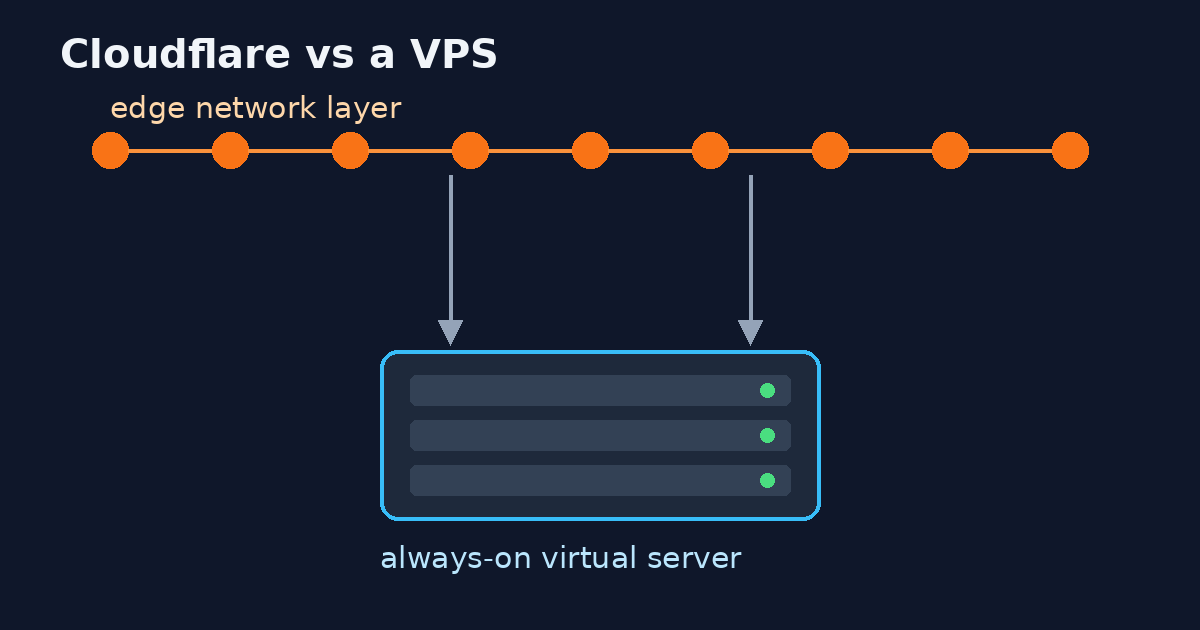
If the app might not need a server that stays up between requests, compare Cloudflare Workers with a VPS first.
Alternatives
Packages on the VPS, with no Docker. This option uses the programs and applications on the virtual machine’s own operating system. (Docker docs: what is a container)
Docker Engine on the VPS. A virtual machine with a container runtime can run several containerized applications. On a Linux VPS, the supported install is Docker Engine, not Docker Desktop inside the VPS. Docker does not support that nested setup. (Docker docs: what is a container, Docker docs: linux)
Docker Desktop on your laptop. Docker Desktop runs the Docker Engine inside a Linux virtual machine. That virtual machine is not a rented server. A Droplet and a Hetzner Cloud server are servers you rent. (Docker docs: networking, docs.digitalocean.com: droplets)
Cons
Packages on the VPS, with no Docker. Starting a virtual machine only to isolate one application is a lot of overhead. A container, by contrast, contains what the application needs so you do not rely on what is installed on the host. (Docker docs: what is a container, Docker docs: docker overview)
Docker Engine on the VPS. Containers on that virtual machine share its kernel. By default they have no memory cap and no CPU cap. The daemon requires root unless you opt into rootless mode. Running Docker Desktop for Linux inside the VPS is nested virtualization, which Docker does not support. (Docker docs: resource_constraints, Docker docs: linux)
Docker Desktop on your laptop. The engine already runs inside a Linux virtual machine, so Desktop is Docker on a virtual machine, not a replacement for one. Images and containers that were on the Linux Docker Engine before you install Desktop are not available in Docker Desktop for Linux. Docker Desktop for Linux and Docker Engine can be installed side by side. Docker does not support Docker Desktop for Linux under nested virtualization. Docker VMM requires a minimum of 4 GB of memory allocated to the Docker Linux VM. WSL 2 is the default Windows backend, and other Mac and Windows backends exist, so that 4 GB figure is not a rule for every Desktop install and not a VPS size. (Docker docs: networking, Docker docs: vmm)
Limits and the failure mode
By default, a container has no resource constraints and can use as much of a given resource as the host’s kernel scheduler allows. Each container’s access to the host’s CPU cycles is unlimited until you set a limit. Control groups implement resource accounting and limiting for memory, CPU, and disk I/O. Docker does not apply a memory or CPU cap unless you pass the flags. If you set --memory, the minimum allowed value is 6 megabytes (6m). That floor is the smallest legal flag value, not a recommended application size and not a VPS size. (Docker docs: resource_constraints, Docker docs: security)
If the host has two CPUs and you set --cpus="1.5", the container is guaranteed at most one and a half of the CPUs. --cpu-shares defaults to 1024. That default is a weight, not 1024 CPUs, and the weight applies only when CPU cycles are constrained. When plenty of CPU cycles are available, containers use as much CPU as they need. (Docker docs: resource_constraints)
On Linux, if the kernel detects that there is not enough memory for important system functions, it throws an out-of-memory exception and starts killing processes. Any process can be killed, including Docker, and killing the wrong process can bring the system down. Docker lowers the chance that the daemon is the process killed. The priority on containers is not adjusted. Test the application’s memory need, run it on a host that has enough memory, set a memory limit, be careful with swap, or use service constraints. Only disable the out-of-memory killer on a container where you have also set --memory. If --memory is not set, the host can run out of memory and the kernel may kill the host’s processes. Inside the container, free reports the host’s available swap, not what is available inside the container. (Docker docs: resource_constraints)
In rootless mode, --cpus, --memory, and --pids-limit work only with cgroup v2 and systemd. If docker info shows none as the cgroup driver, rootless mode ignores those flags. In a Compose file, a limit is an amount the platform must prevent the container from exceeding, and a reservation is an amount the platform must guarantee. Docker’s example numbers on the Compose page are an example, not a size recommendation, so they are not copied here. (Docker docs: tips, Docker docs: features uses)
Security
Running containers with Docker means running the Docker daemon. That daemon requires root privileges unless you opt into rootless mode. Only trusted users should control the daemon. Docker can share a host directory into a container without limiting access rights, including the host root, and the container can then change the host filesystem without restriction. (Docker docs: security)
By default, Docker containers are unprivileged and cannot, for example, run a Docker daemon inside a Docker container. The --privileged flag gives the container all capabilities, access to all host devices, and an AppArmor or SELinux setting that leaves it with nearly the same access to the host as processes outside containers. Docker says to use that flag with caution. (Docker docs: run)
Docker starts containers with a restricted set of capabilities. Root inside a container has much less privilege than real root. One primary risk is that the default capabilities and mounts may provide incomplete isolation, on their own or together with kernel vulnerabilities. Processes in a container cannot see, and even less affect, processes in another container or on the host. User namespaces, supported by the daemon as of Docker 1.10, can map root in the container to a non-uid-0 user outside it. That facility is available and not enabled by default. (Docker docs: security)
Rootless mode runs the Docker daemon and the containers as a non-root user, which mitigates vulnerabilities in the daemon and the runtime. With userns-remap, the daemon itself still runs with root privileges. Rootless mode needs newuidmap and newgidmap, and at least 65,536 subordinate UIDs and GIDs for the user. Docker 20.10 or later, installed from RPM or DEB packages, includes dockerd-rootless-setuptool.sh. (Docker docs: rootless)
After you choose
There is no memory or CPU cap until you set the flags. An out-of-memory event on the host can kill processes, including Docker. A Compose file is where you declare the dependencies of a multi-container application. (Docker docs: resource_constraints, Docker docs: features uses)
Talk2Term explains the shell command, and it does not replace Docker or rent the VPS.
What to skip
The Hetzner cloud server page prints prices, and this article does not copy those prices. Docker’s overview calls containers a lightweight, cost-effective, high-density alternative to hypervisor virtual machines, and that page does not publish a multiple or a percent. “Less infrastructure” in the container-versus-VM explanation is not a measured saving. This article adds no currency and no percent. (Docker docs: docker overview, docs.hetzner.com: overview)
Docker does not support running Docker Desktop for Linux in nested virtualization. Six megabytes is not a recommended amount of RAM for an application or for a VPS. free inside a container is not evidence of the container’s own swap. (Docker docs: linux, Docker docs: resource_constraints)
The VPS readings on this page are not a percent and not a currency amount. The docker system df size 180.2GB is the whole image store, 1015 images, not the sample application.
FAQ
Do I pick Docker or a VPS?
Install Docker Engine on the Linux VPS when the app should run in a container. Leave Docker off when packages on that host are enough. A container shares the host kernel, and a virtual machine has its own kernel. In the cloud, the provisioned machine is typically a virtual machine. (Docker docs: what is a container)
Can I run Docker on a VPS?
A virtual machine with a container runtime can run multiple containerized applications. On a Linux VPS, the supported install is Docker Engine. Docker Desktop inside that VPS is unsupported nested virtualization. (Docker docs: what is a container, Docker docs: linux)
Does Docker replace the server?
A container can run on a laptop, on a physical machine, or on a virtual machine. In the cloud, the provisioned machines are typically virtual machines. You still operate that machine. (Docker docs: docker overview)
Is Docker Desktop a VPS?
Docker Desktop runs the engine inside a Linux virtual machine. A Droplet and a Hetzner Cloud server are servers you rent. That Desktop virtual machine is not a rented server. (Docker docs: networking, docs.hetzner.com: overview)
Does a container have its own kernel?
Containers on one host share that host’s kernel. A virtual machine has its own kernel. (Docker docs: what is a container)
Is 6 MB the RAM I need?
If you set --memory, the minimum allowed value is 6 megabytes. That floor is not a recommended application size or a VPS size. (Docker docs: resource_constraints)
What did one VPS we already run show for the same HTTP file?
Under systemd and host CPython 3.12.3, the first HTTP 200 took 120.9 ms to 151.5 ms. Under Docker, with the image already local and CPython 3.12.14, it took 1187.5 ms to 2189.3 ms. The source file was the same. The Python builds were not. The host already had 25 containers running.
Need the box set up for you?
Need the box set up for you? Say what you run, and say the timeline. This page does not quote a rate.
If the host still runs the wrong one
This guide separates Docker from the VPS. Docker is the runtime. The VPS is the machine. If a host you already pay for still runs the wrong one, write what is on the machine and what you expected.
Use the contact form. We reply in writing, usually within one business day. The reply says we can help, we should not take this on, or we need one detail. That look is free. If we are full, we say so. Do not send passwords or keys.
If that reply says a paid written audit is the next step, the range is ₹15,000–₹25,000. That is the range on the services page. This article has no payment link.